
Best practices for screenings and projected-amplified presentations
Video
https://wiki.commons.nyc/books/rc-facilities-homepage/page/equipment-documentation
There are two projectors in the space:
The main projector is best for movies, presentations focused on projected content, and use of the PA system.
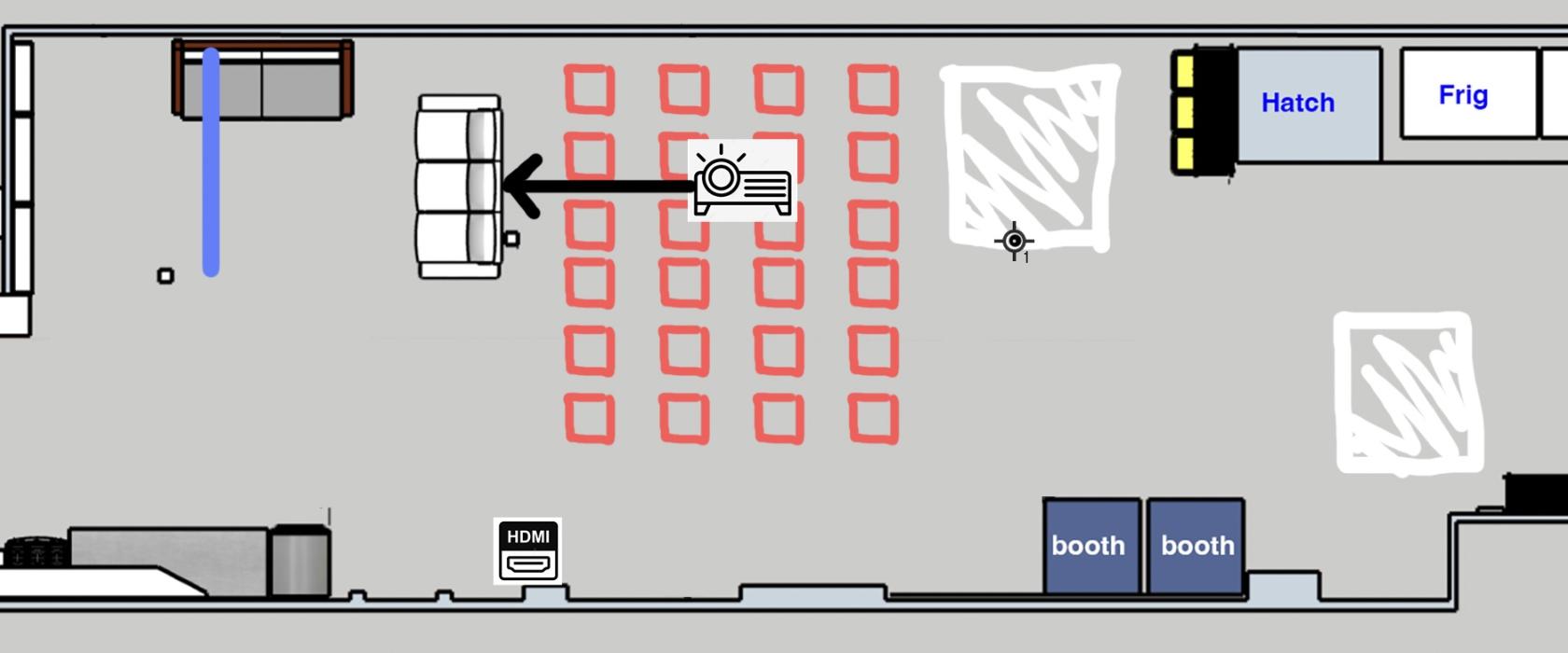
For 1/2 full events, white tables can be moved towards street side, or 2 can be stacked on each other.
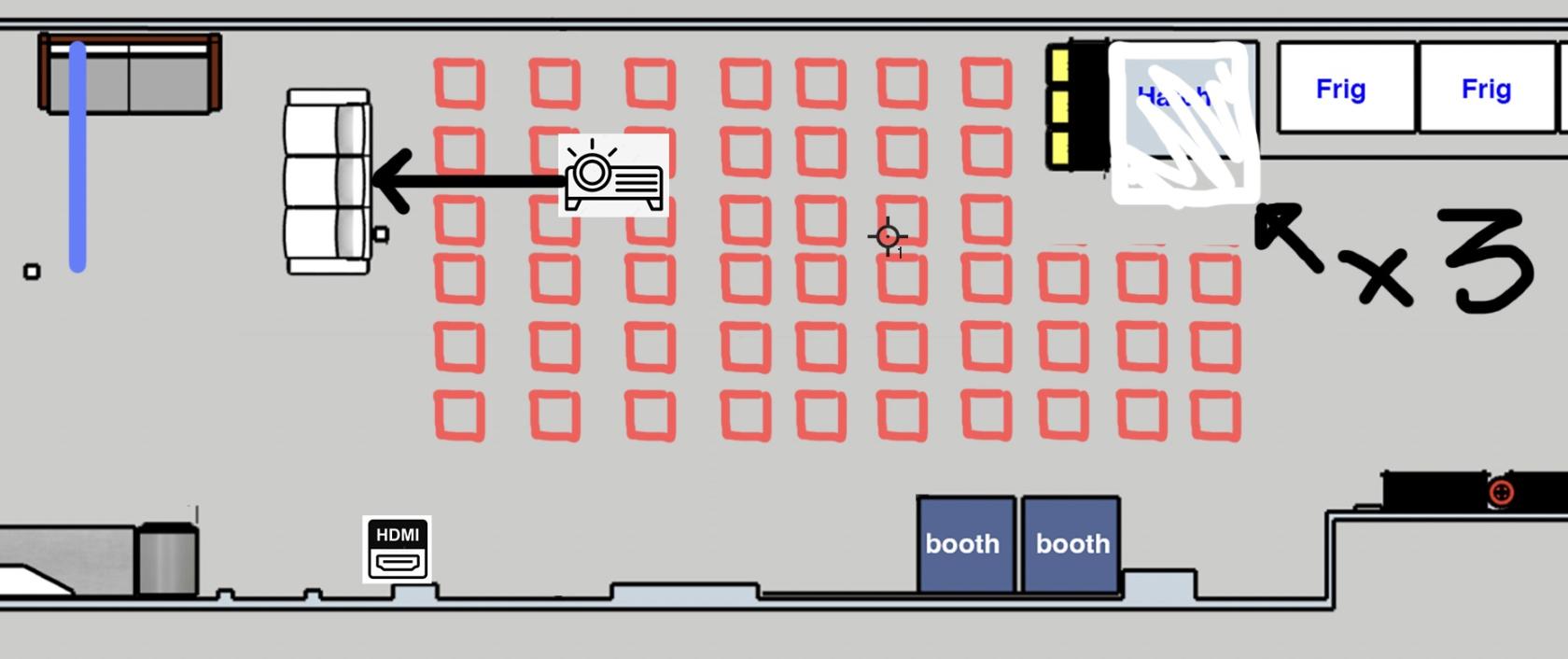
For full events, all three white tables can be stacked on hatch.
Chair counts and placement in images are not to-scale.
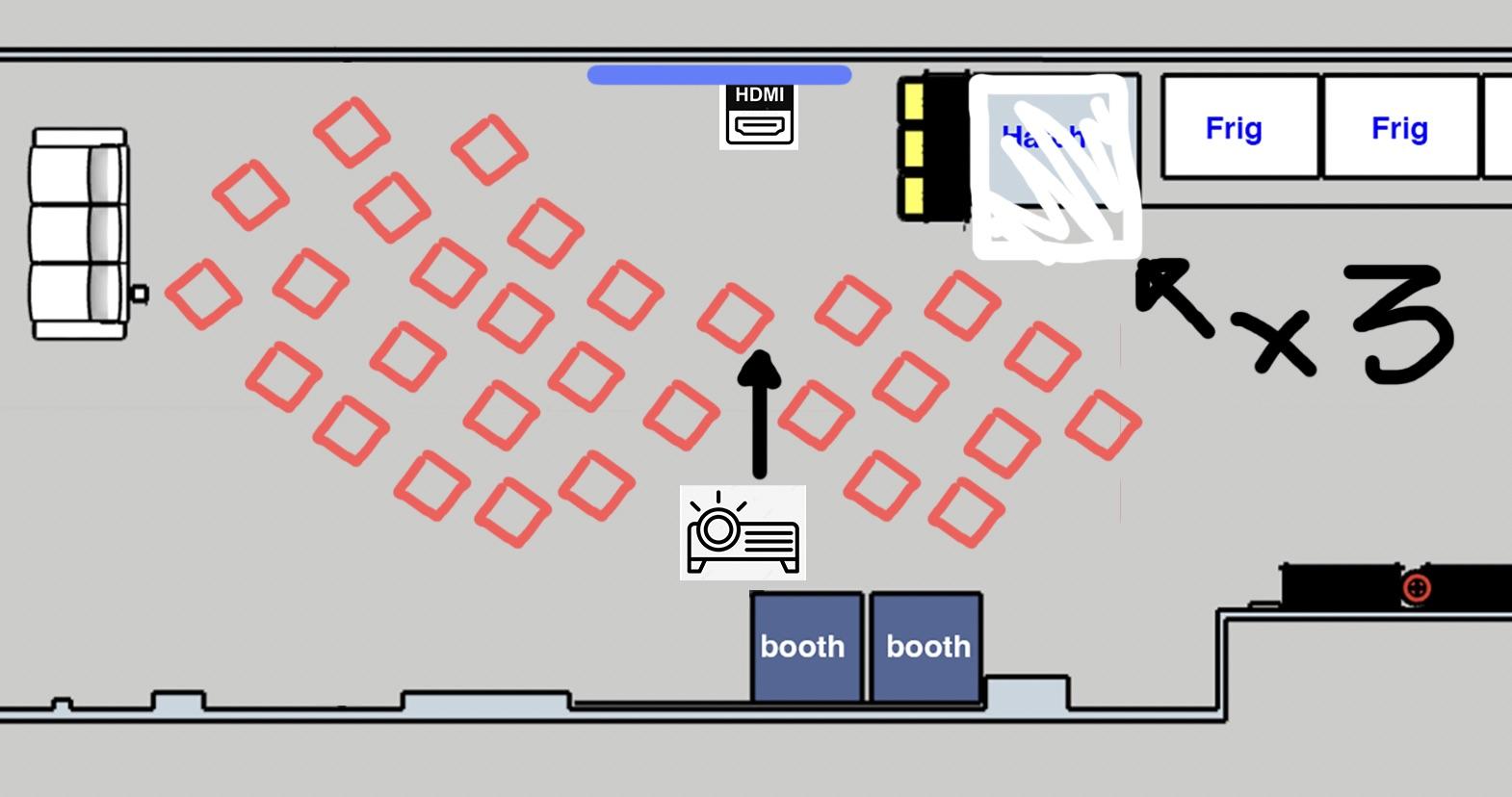
The side projector is more suitable for more participatory presentations or meetings. Chairs arranged in arcs seem to work well for audience interaction.
AsideFor fromaudio movingon 2nd projector, we can:
- Move the entire main PA system (for multi-channel / multi-mic / stereo sound)
- Use our single powered speaker stored in basement for audio testing (Easy setup, wetakes don'tTRS/XLR/3.5mm haveinputs, a good solution for amplified audio in this layout.mono)
Using the PA without moving it tends to not work well for this layout.
Audio
Amplified audio is provided via a powered mixer PA system.
This takes inputs from:
Hacks
Because HDMI plugs can be extremely quirky, for more reliable video connections: