
Ultimaker S5 general info
The Basics (from manual)
RC has two Ultimaker S5 FDM printers.
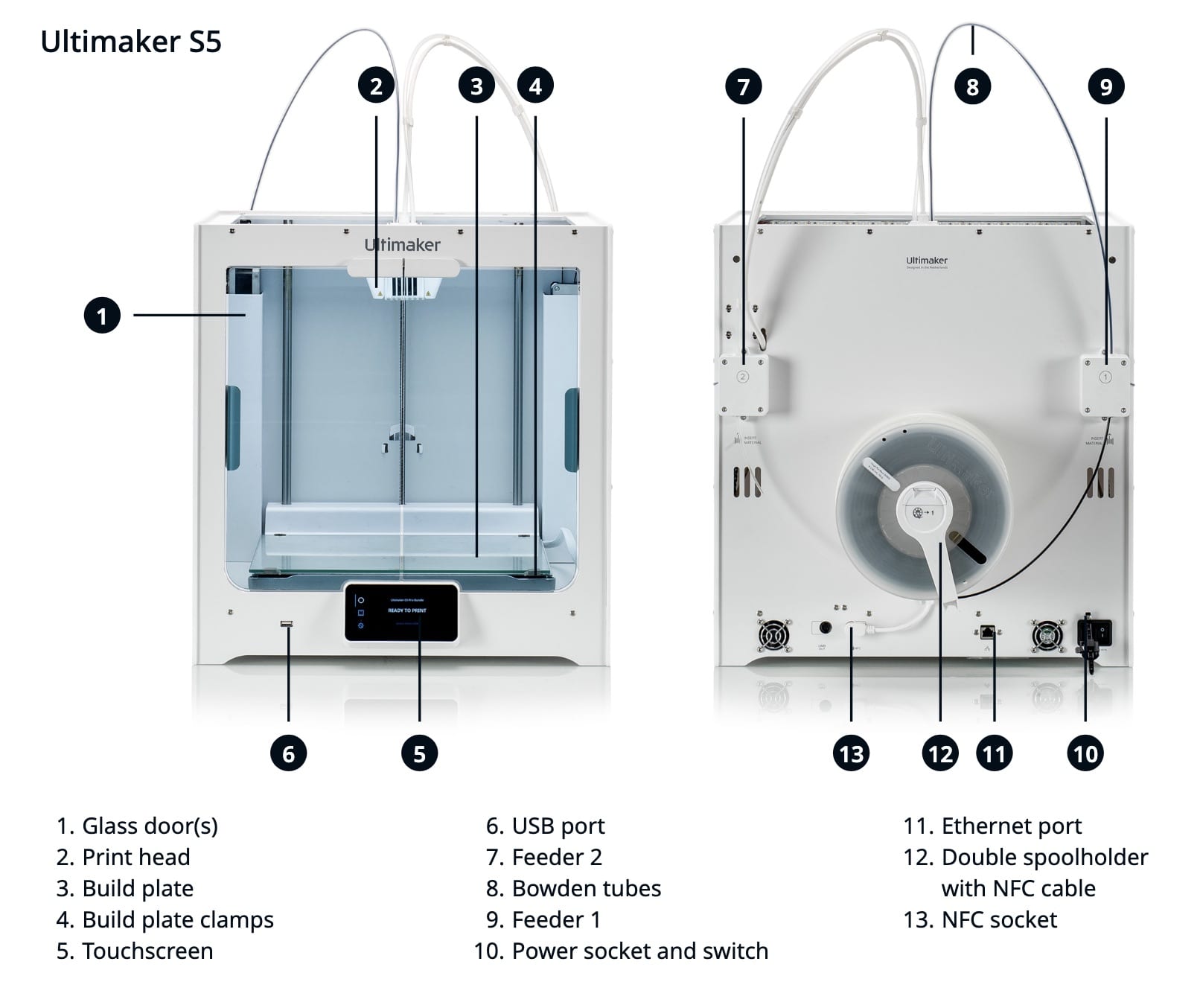
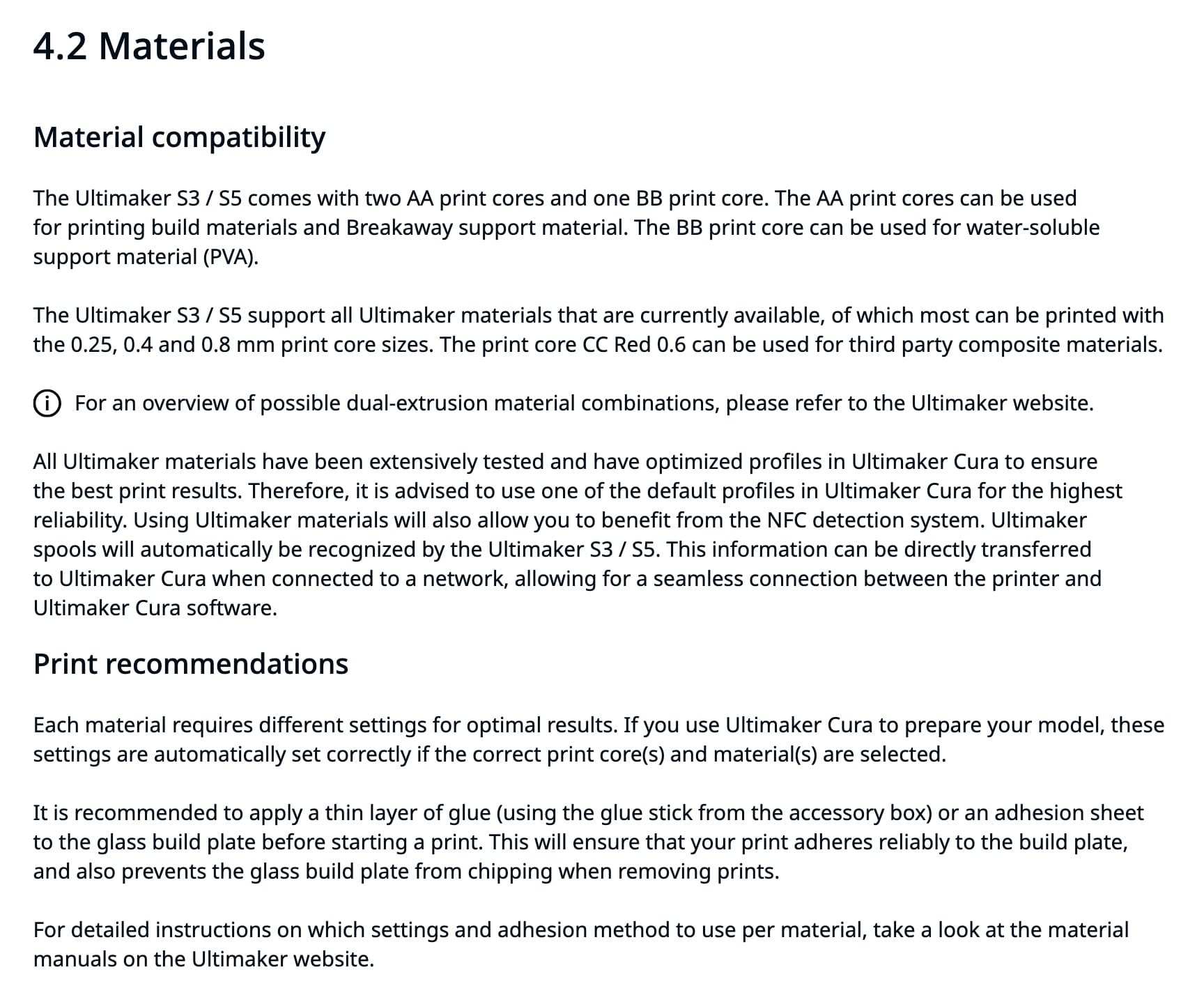
S5s are dual extruder units, with a single print head. Depending on the "cores" (Ultimaker term, generic term: "hotend"), they can print in two colors of the same build material, hold extra build material on a 2nd spool to change supplies if one spool runs out, or print supports from alternate materials that separate more easily, or dissolve in water.
More Detail
Manuals
Link to manual on Ultimaker site: available in EN - English, FI - Finnish, KR - Korean, RU - Russian, CS - Czech, FR - French, NL - Dutch, SE - Swedish, DA - Danish, HU - Hungarian, NO - Norwegian, TR - Turkish, DE - German, IT - Italian, PL - Polish, ZH-S - Chinese (simplified), ES - Spanish, JA - Japanese, PT - Portuguese, ZH-T - Chinese (traditional).
English language manual direct link (PDF)
Print Adhesion
After some peeling/warping prints, I tried using a glue stick. It left marks on the print, as matte streaks (vs the glossy finish against clean glass).
From reddit:
PLA on glass shouldn't need adhesion help. It'll turn out to be one of four things:
-
your glass isn't actually as clean as you thought
-
your bed isn't as level as you thought
-
your first layer height is a touch too high
-
your temperatures need revisiting
Also, glass does best if allowed to heat soak a bit before you start printing - it's a reasonable insulator, so takes a while for the top surface to get up to temperature when heated from the bottom. Hot PLA on cold glass doesn't stick all that well.
This person says if you can feel the glue, it's too much, and needs to be buffed:
The Ultimaker S5 glass bed can apparently be changed to a more typical steel flex plate: https://shop3duniverse.com/products/magnetic-flexible-pei-build-plate-for-ultimaker-s5
No comments to display
No comments to display